Choose a connection method
There are three ways to connect a database, and you can mix them freely across projects. Live collection supports MySQL 5.7+, MariaDB, and PostgreSQL. SQLite is supported only for pasted analysis and cannot be connected for live collection.
Direct connection
dbtempo dials a reachable database endpoint itself — no host to set up. The fastest way to start live collection. Database credentials are stored encrypted by dbtempo. Follow Path A.
SSH connection
dbtempo tunnels through an SSH host you register to reach a database that is not directly reachable. Also unlocks slow-log collection (MySQL and MariaDB) and host-path source code over SSH. Credentials are stored encrypted by dbtempo. Follow Path A.
dbtempo agent
The agent runs inside your environment and submits collected performance artifacts, including slow-log and host-local sources. Database credentials remain in your infrastructure. Choose this when credentials must not leave your network. Follow Path B.
Path A: direct or SSH connection
- Add the connection. Open your project (or start one from the sidebar's Projects +), select Add database, and enter the engine, endpoint, least-privilege username, password, database, and optional schema.
- Choose the transport. Select Direct (no host) for a reachable database, or select an SSH host to connect through a bastion. To connect over SSH, first link the host to the project with Link host.
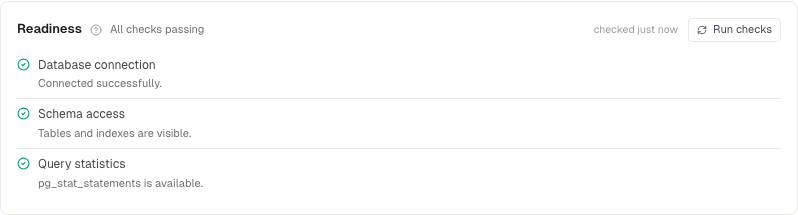
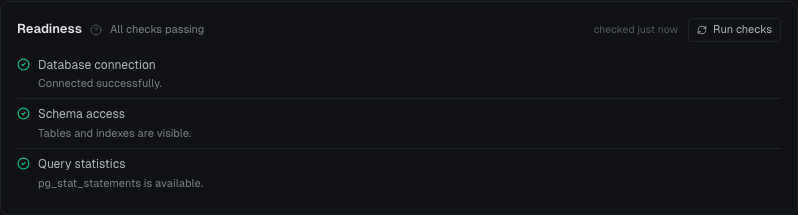
- Pass readiness. Save the connection and resolve required checks. MySQL and MariaDB need Performance Schema or the slow-query log; PostgreSQL uses
pg_stat_statements. - Create or open a project. Every connection lives in a project: the sidebar's Projects group lists yours, and its + starts a new one. A connection alone is not a runnable analysis schedule.
- Run now. In the project's schedule settings, select Manual, choose Run Now, then open View activity when it appears.
Path B: dbtempo agent (CLI daemon)
The in-app installer at Databases → Install dbtempo inserts your real API key. Use the platform tab there for copy-ready commands.
# 1. Install and verify
brew install dbtempo/tap/dbtempo
dbtempo --version

# 2. Authenticate and configure
dbtempo login --api-key <your-api-key>
dbtempo init

# 3. Verify and run
dbtempo doctor
dbtempo run

# 4. Schedule on macOS or Linux
dbtempo watch --install --connection <your-project>What is submitted
dbtempo collects query statistics, example query text, schema metadata, and execution plans needed for analysis. Raw table rows are not submitted. With direct and SSH connections, dbtempo stores encrypted database credentials; with the dbtempo agent, those credentials stay in your environment.