Before you start
You need a dbtempo account and one slow SQL query or its EXPLAIN output. Paste mode is available without installing the CLI or storing database credentials. A whole slow query log works too — see Upload a slow query log.
Run the analysis
- Start a new thread. Sign in and select New thread in the sidebar.
- Choose Paste SQL or EXPLAIN. This is the first action on an empty thread and is available on every plan.
- Paste and send. Add the raw query,
EXPLAIN, orEXPLAIN ANALYZEoutput to the composer and send it. - Follow the query card. dbtempo runs deterministic rules first and uses an AI tier only when more analysis is needed. The stage indicator reports the current step.
Review the result
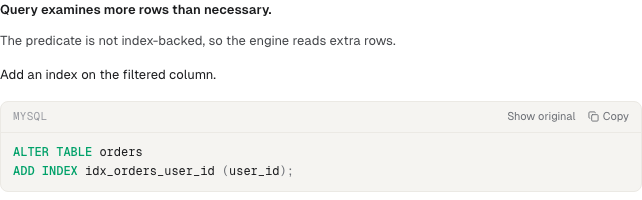
Review the fix, confidence, and evidence together. Executable migration SQL is available only for eligible findings; other findings show suggested SQL, a rewrite, or review steps.
A CLI-backed run can offer Apply via CLI for executable SQL. Otherwise, copy the suggestion for your own migration workflow. Mark the recommendation Later or Dismiss when appropriate.
When dbtempo needs schema, index, statistics, or execution-plan context, follow the context request card to connect a database, run the displayed read-only SQL yourself, or continue with query-text-only analysis.
Next step
To have dbtempo find slow queries for you instead of bringing them one at a time, continue with Set up continuous monitoring with a project.