The database agent that ships the fix, not a ticket.
dbtempo finds the queries that cost your MySQL, MariaDB or PostgreSQL database the most time and proves the cause from the plan and your code. Then it applies the fix with a rollback, or opens a draft pull request for your team to review.
- Free plan, no credit card
- Trial on paid plans
- Direct, SSH or the dbtempo agent
From the query that costs you most to a fix you can review.
- 01
Find the query
Scans run on each project’s schedule and read performance_schema, pg_stat_statements or the slow query log. Query shapes are ranked by the time they cost, not by how they look.
- 02
Prove the cause
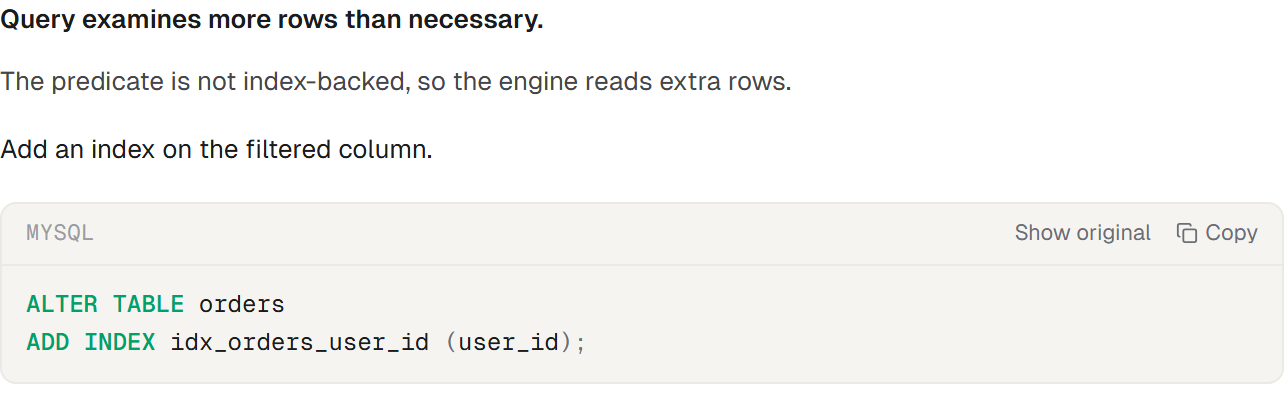
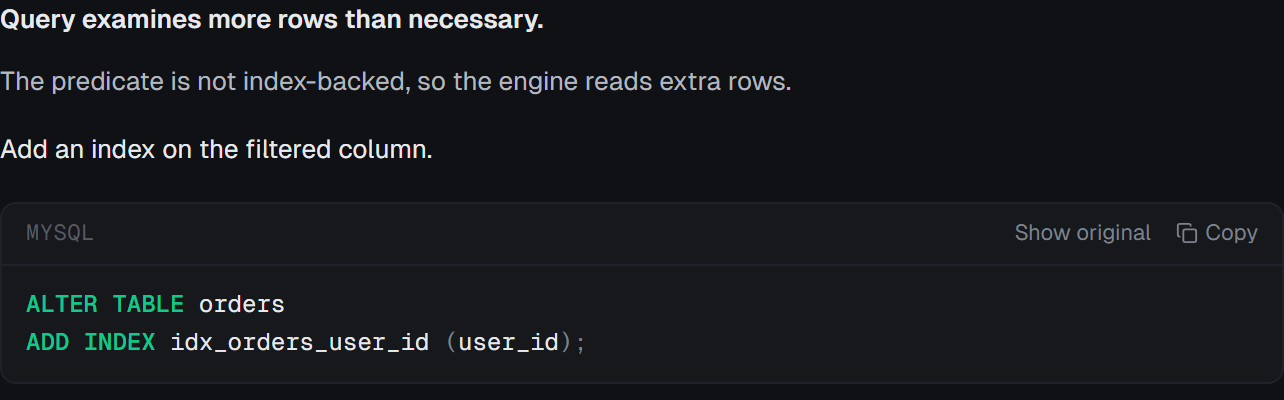
Deterministic rules such as Full Table Scan, Filesort or Temporary Table and High Rows Examined Ratio read the EXPLAIN plan first. The analysis then states the cause, the evidence and its confidence. On PostgreSQL with HypoPG installed, a proposed index is re-planned as a hypothetical index before you see it.
- 03
Find it in your code
Connect a repository through the GitHub App, or a source path on a host, and dbtempo matches the query to the SQL in your code, so a recommendation names the file that sends it.
- 04
Ship the fix
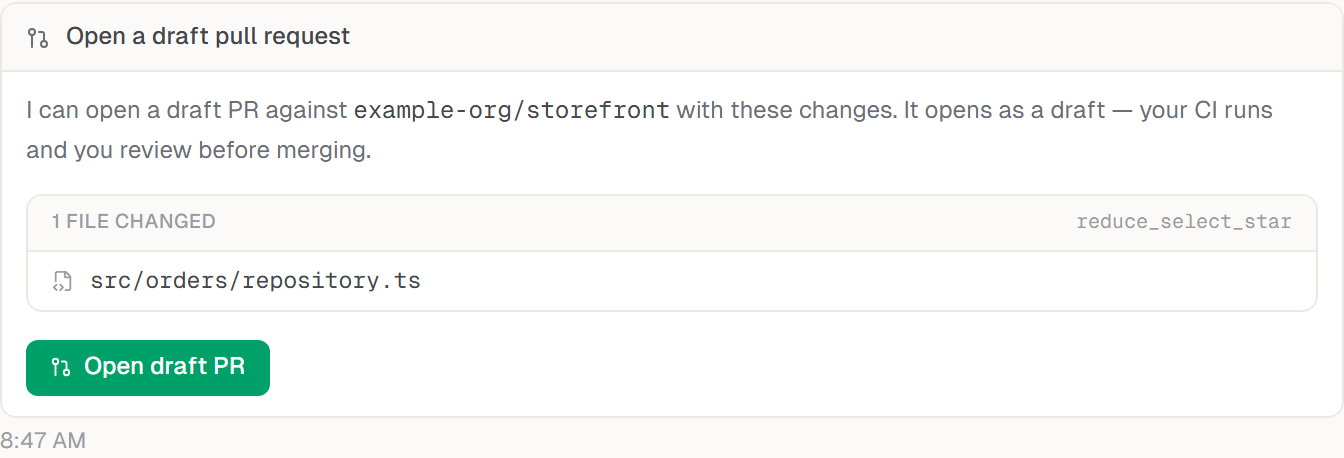
A database change you apply is stored with the SQL that reverses it. A code change opens as a draft pull request for your team to review and merge.
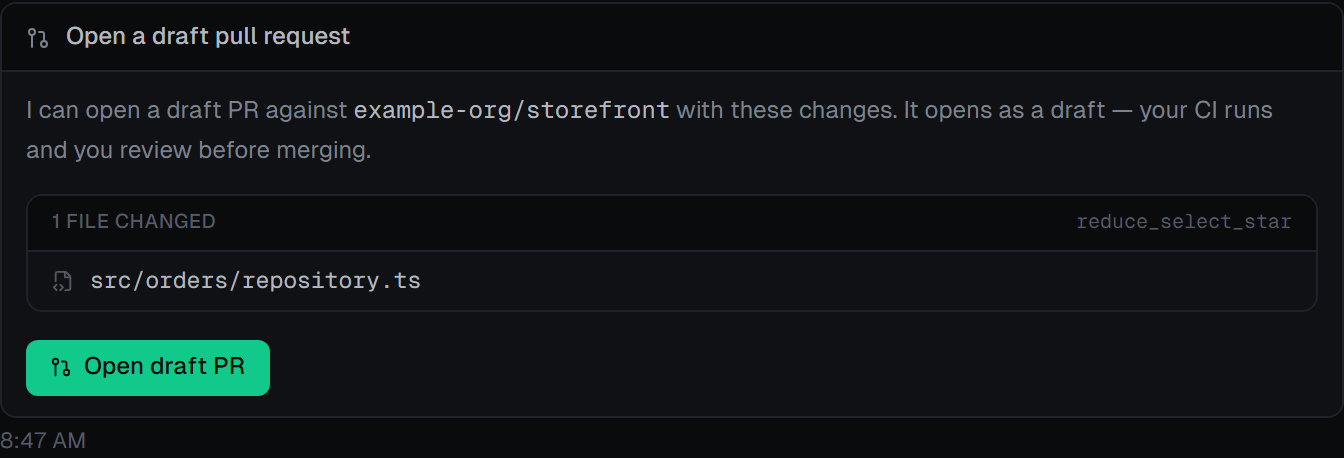
The fix lands where the query is written.
A query optimizer that only sees SQL can tell you what to change in the database. dbtempo also reads the code that sends the query, so the fix can be a change to your application, reviewed like any other pull request.
Index a repository
Install the GitHub App on the repositories you choose, or point dbtempo at a source path on a host. It finds SQL in PHP, Ruby, Python, JavaScript, TypeScript, Java, Go and C# files and in .sql files.
Or paste the code
Paste a function into the thread and it becomes evidence for the analysis, with nothing connected.
Pasted code never opens a PR
A snippet has no repository behind it, so dbtempo gives you the suggested change to copy instead. Only an indexed repository can receive a draft PR.
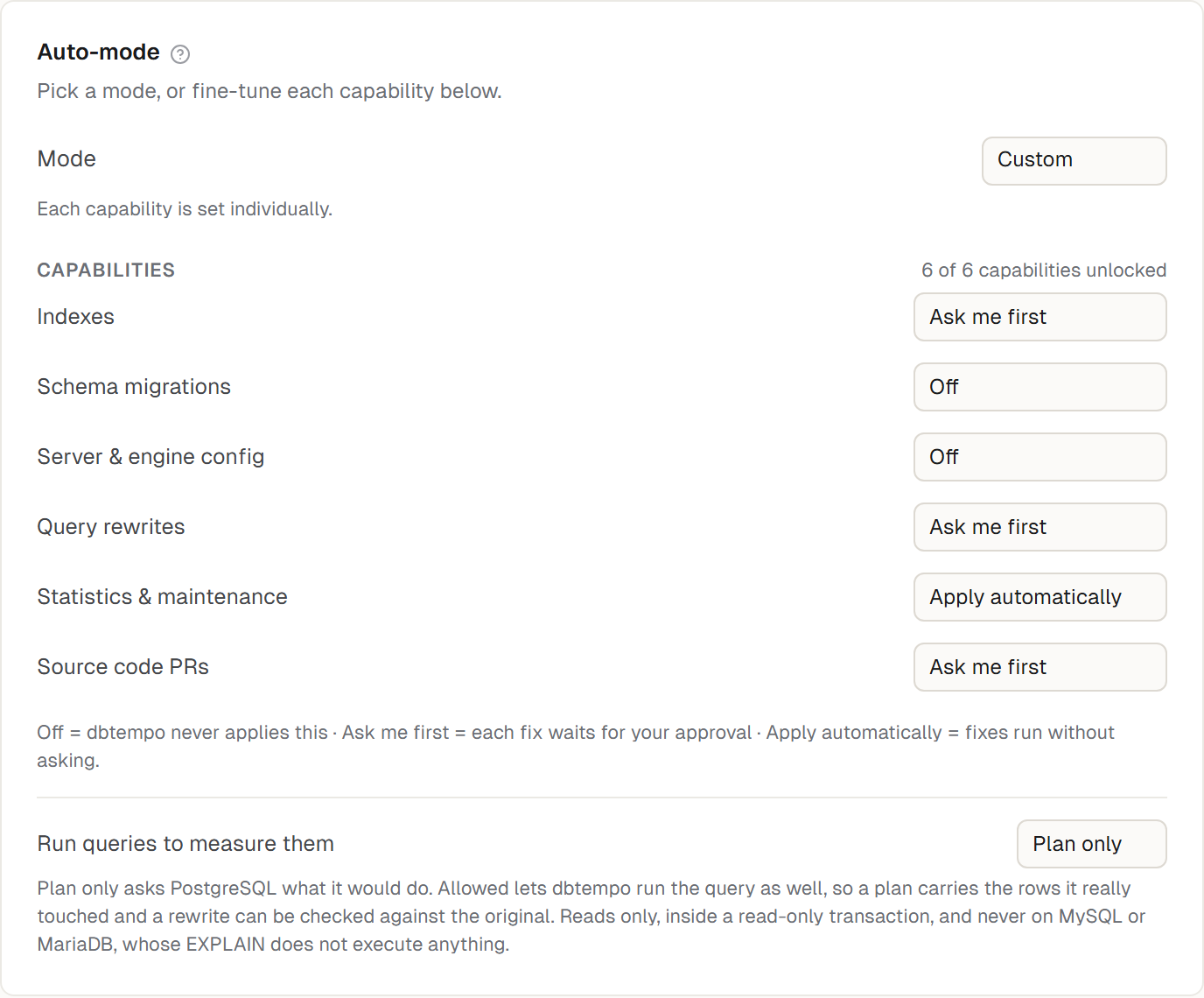
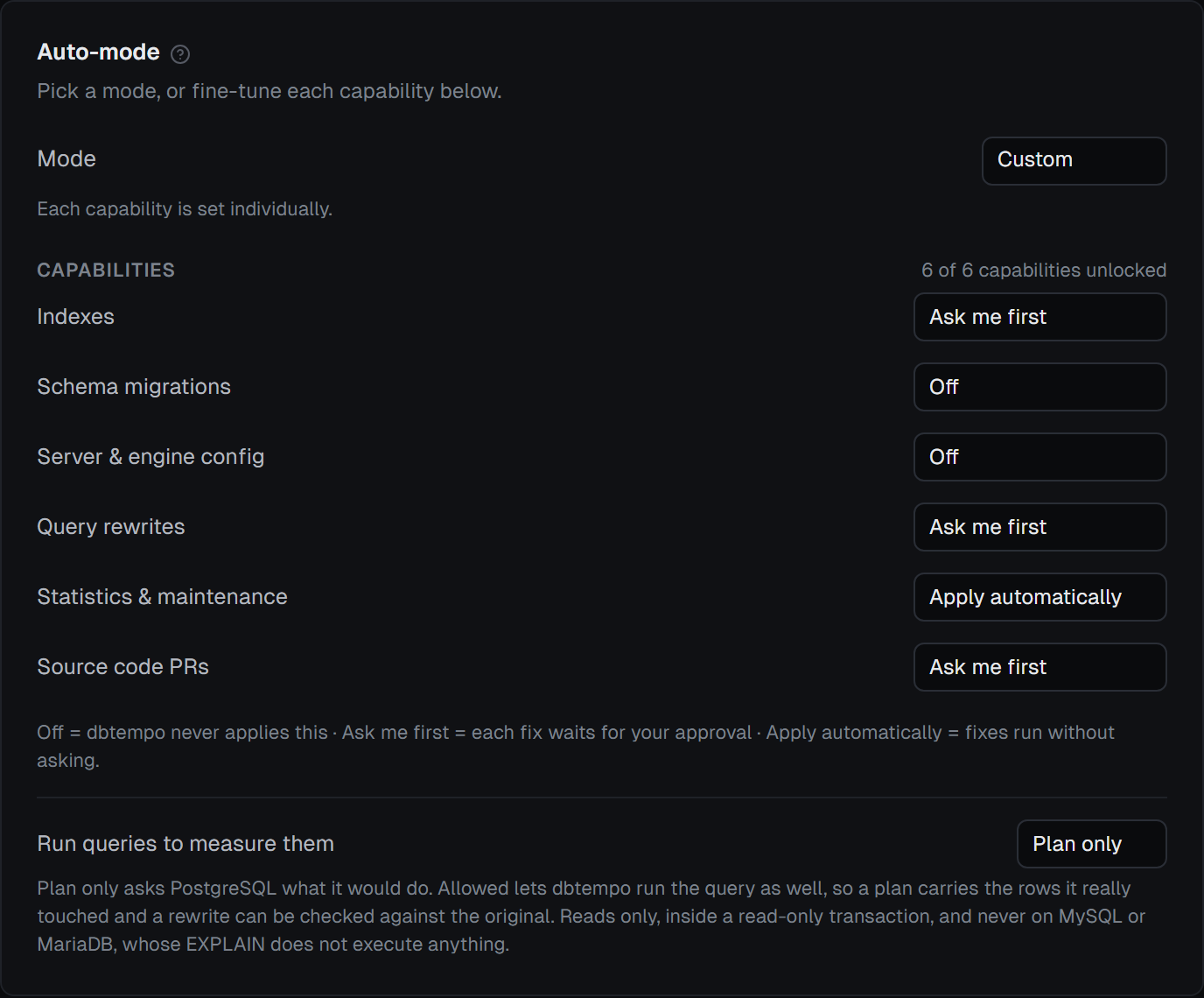
Nothing writes to your database unless you allowed that kind of change.
Each project sets every capability to Off, Ask me first or Apply automatically: indexes, schema migrations, server and engine config, query rewrites, statistics and maintenance, and source code PRs.
Ask me first
A change at this level waits in the Awaiting approval queue and notifies you. Nothing runs until someone approves it.
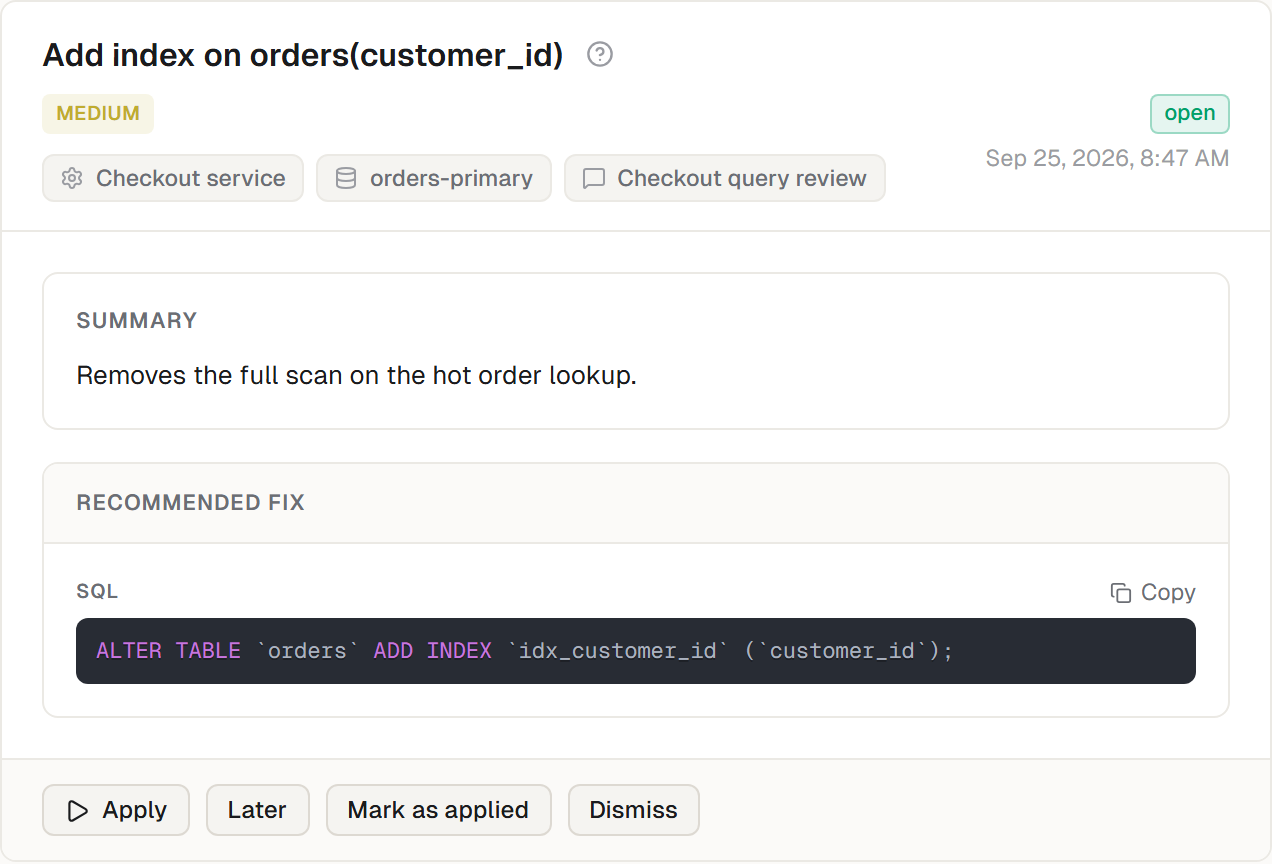
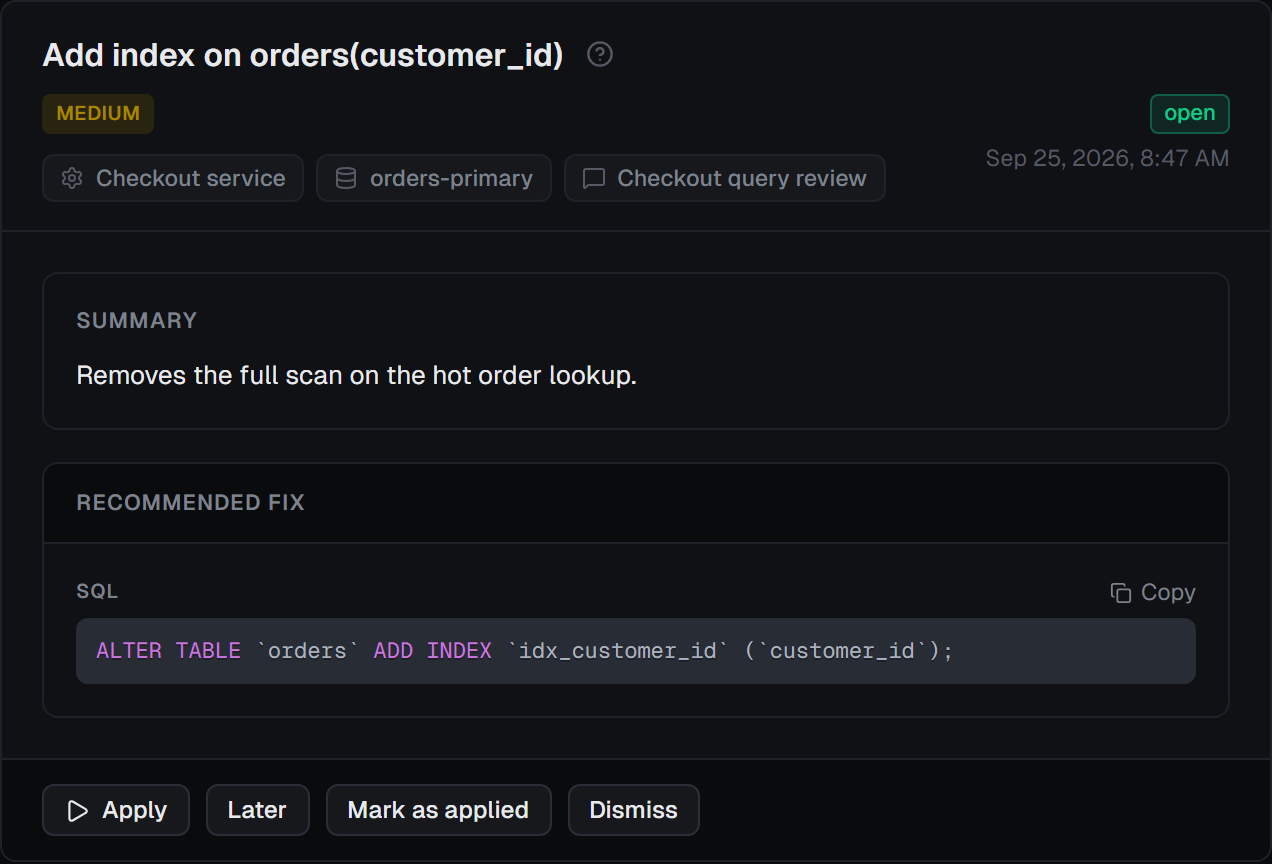
Apply automatically, inside the lines
An allowed change still has to pass the safety gates. You can limit changes to a maintenance window; changes that briefly stall the server always need one.
Every attempt on the record
Each database has an audit trail of every write attempted, including the ones a guardrail blocked, with the SQL and its rollback. Plans that include it export the trail as CSV.
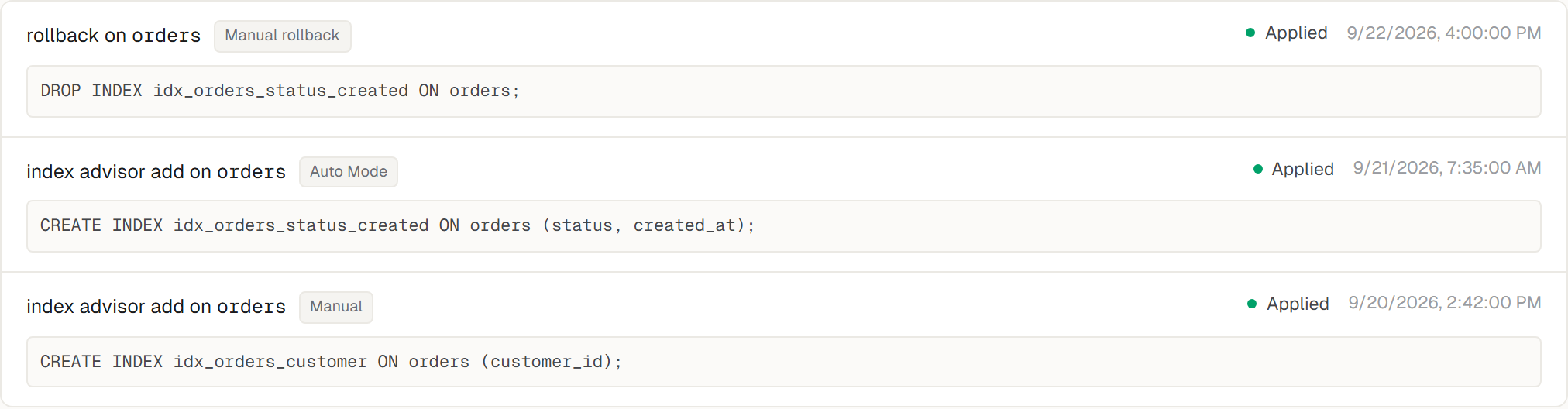
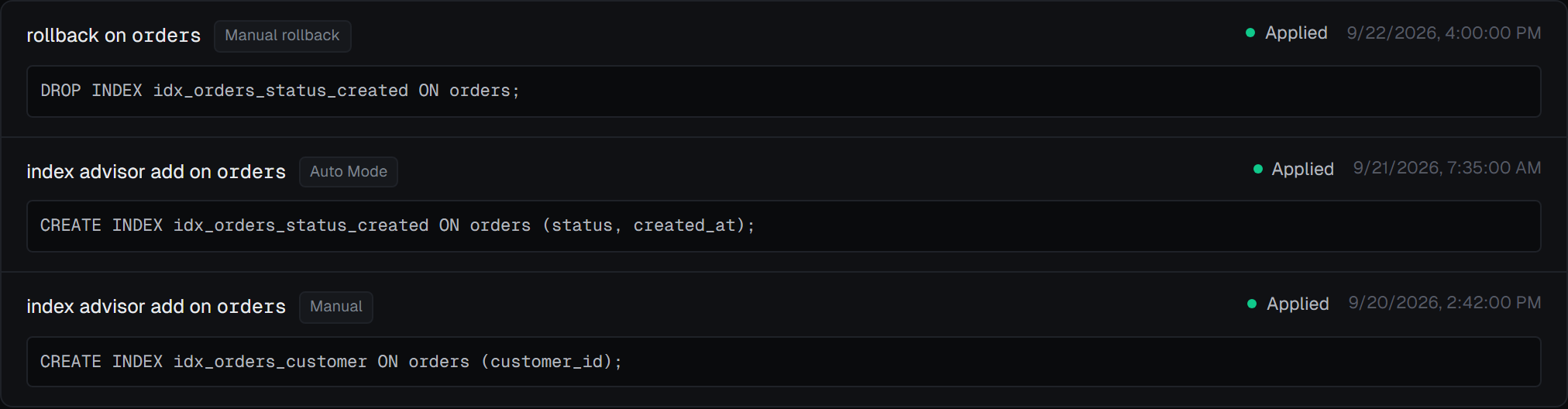
Undo is one action
Every applied change keeps its rollback SQL, and rollback runs it through the same guarded path. Index removals are never applied unattended.
The server, not just the statements.
Each scan also reads the server’s configuration and health, and says when a condition clears as well as when it starts. A few of the checks, by name:
- Transaction-ID wraparound
- Statistics are stale
- Dead rows accumulating
- Connections filling up
- Disk filling up
- Replication lag
- Buffer cache pressure
- Host is swapping
The table, not just the query
The index advisor reads every query that touches a table together with the indexes already on it, and proposes one index set for the whole table, including indexes to drop because another index covers them or nothing reads them.
- 01
Ask in chat
Paste a query, an EXPLAIN plan or a slow query log. Nothing to install.
- 02
Create a project
Connect a database directly, over SSH, or through the dbtempo agent, and set how often it is scanned.
- 03
Connect the repo
Install the GitHub App on the repositories you choose.
- 04
Review and apply
Apply a recommendation, open a draft PR, or let auto mode apply the kinds of change you allowed.
Keep credentials inside your network with the dbtempo agent
With the agent, every database connection is made from your side; dbtempo’s servers never connect to the database. Linux:
curl -fsSL https://dbtempo.com/install.sh | sudo bashCommon starting points
Priced by monthly allowance, not by seat.
Frequently asked
Which databases does dbtempo support?
MySQL, MariaDB and PostgreSQL, for both pasted analysis and live collection. SQLite is supported for pasted analysis only.
Where does my SQL go?
Paste mode sends the SQL or database artifact you submit through the analysis pipeline. Live collection submits query statistics, example query text, schema metadata and execution plans, not table rows. Collection payloads are deleted after thirty days.
Do I need to install anything?
No. Chat analysis needs nothing installed, and direct or SSH connections are made from dbtempo’s side. The dbtempo agent is optional: choose it when dbtempo’s servers must not connect to your database, because the agent inside your network makes every connection.
Where do my database credentials live?
For a direct or SSH connection, the password and any SSH key are sealed with a key only the collection worker can open (an X25519 key agreement and AES-256-GCM), so the web application that stores them cannot read them back. With the agent, the credentials sit in the agent’s local config file on your machine and the agent makes every connection.
Can dbtempo write to my production database?
Only through capabilities you turn on. Each project sets every kind of change to Off, Ask me first or Apply automatically. An allowed change still has to pass the safety gates and, if you set one, the maintenance window. Every attempt, including the ones a guardrail blocked, is recorded on the database’s audit trail.
What is a draft pull request?
A pull request GitHub marks as not ready to merge. dbtempo opens code fixes as drafts through its GitHub App, so a person on your team reviews and merges them. Opening PRs needs a plan that includes draft PR creation.
Can I undo a change dbtempo applied?
Yes. Every database change dbtempo applies is stored with the SQL that reverses it, and the rollback action runs that SQL through the same guarded path. Index removals are never applied unattended.
What does the audit trail contain?
One row per write attempted on a database: what triggered it (auto mode, a manual apply, a readiness fix or a rollback), the SQL, its rollback SQL, the outcome, and the guardrail’s reason when one blocked it. Plans that include audit export can download it as CSV.
Is dbtempo only for slow queries?
No. The index advisor reads every query that touches a table together with the indexes already on it, then proposes one index set for the table, including indexes worth dropping because another index covers them or nothing reads them. Each scan also checks server configuration and maintenance, such as transaction-ID wraparound and stale statistics on PostgreSQL.
Does it work without a connected repository?
Yes. Paste mode and EXPLAIN analysis work on their own. Connecting a repository adds the location of the query in your code and lets dbtempo open code fixes as draft pull requests.
Do rule checks cost credits?
The checks themselves are free. The AI analysis that explains a finding and writes its fix uses your monthly allowance; server-configuration checks and N+1 detection use none. The product shows usage as a percentage of the allowance.
How do I cancel?
Cancel from Settings, Billing. Access and retention after cancellation follow the current plan and legal terms shown during billing.